Table of Contents
How to print and See Your Mobile Money transactions?
Checking your Mtn Mobile Money Statement Online can give you a more detailed representation of your Momo transactions.
After performing a Mobile Money transaction, you might have deleted all the messages on your phone. This is pretty challenging to get back the statements of the old Momo transaction.
Mtn Cameroon Makes it possible to do that. Here is the solution.
How To Check Mtn Mobile Money Statement Online (Step-By-Step Guide With Pictures)
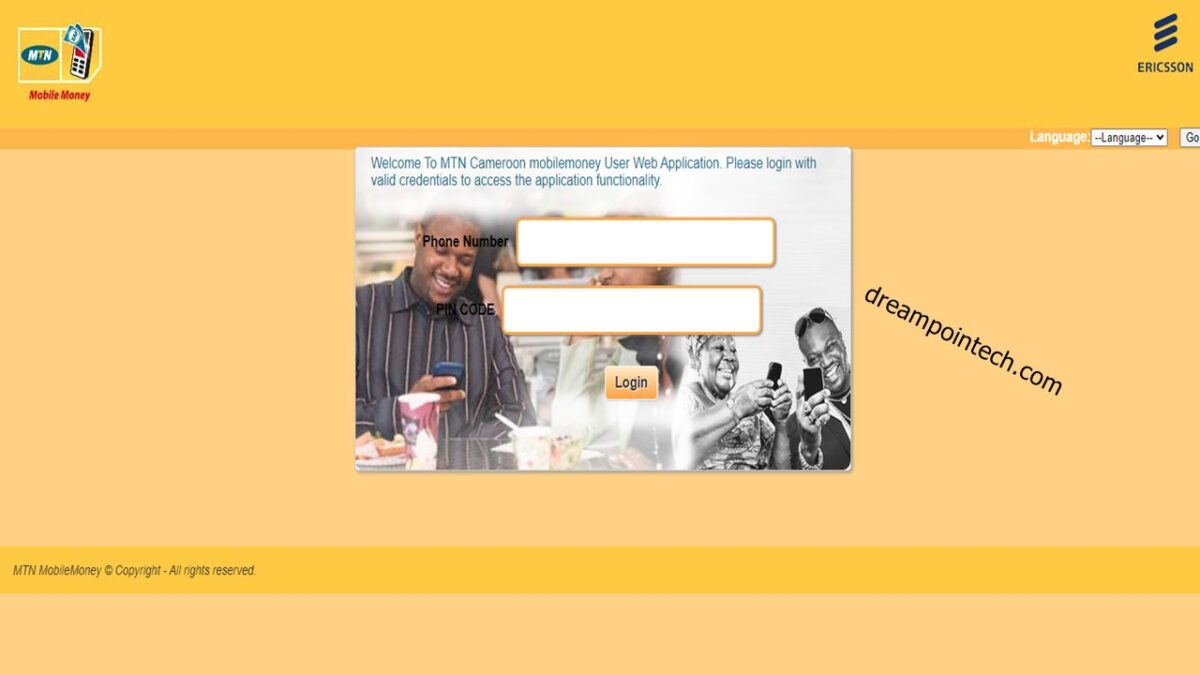
- Visit the Mtn Mobile Money Online Web Address.
- Fill in your Mtn Phone number, e.g., 670x141x0.
- Put in your mobile money pin or password in the text field, e.g., 54321
- Your phone is needed. Since an OTP will be sent to it.
- Enter the code that was SMS to in the Enter One Time Password
- Click on the statement Enquiry, and on the left select AFRILAND BANK and take next.
Check Out: MTN Charges for Cameroon.
c